Installing Scanner SolutionsIn Windows 95
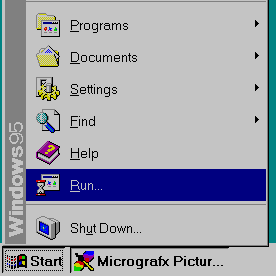
1. Insert the Scanner Solutions CD into your CD-ROM drive. 2. Click the Windows 95 Start Button as shown below.
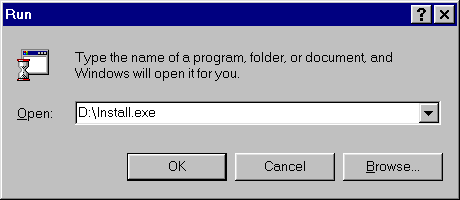
3. When the Start Menu appears, click the Run command. 4. Type the install command as shown below. (If your CD-ROM driveletter is not D:, insert the appropriate letter in the command line. Ifyou are unsure of your drive letter, you can see what it is by double clickingMy Computer.)
5. Click OK to begin installation. 6. Follow the onscreen prompts to complete installation.
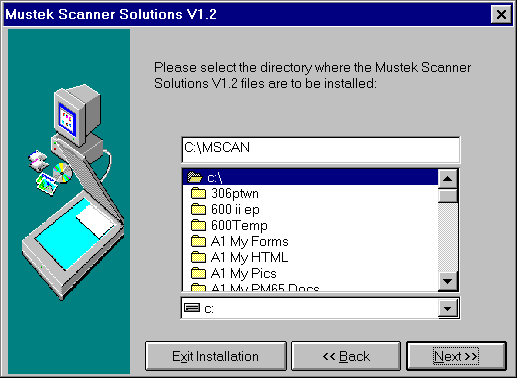
7. The above screen shows the default path where the Scanner Solutionssoftware will be installed. It is recommended that you click Next to acceptthe default path. 8. After installing the Scanner Solutions CD you should install theTwain driver update disk if one came with your scanner. |